 Stash
StashYour account is gone, along with its credit history and backups. Your inventory is still in your browser, where it always was.
Your whole stash, searchable, while you trade.
Stop retyping stats and logging in to check mules. Screenshot an item, drop it in, search it on d2jsp.
10 free credits when you sign up with
 Discord
or
Discord
or
 Google
Get the extension
 Add to Chrome
Version 4.16
Add to Chrome
Version 4.16
Add to Chrome
Version 4.16
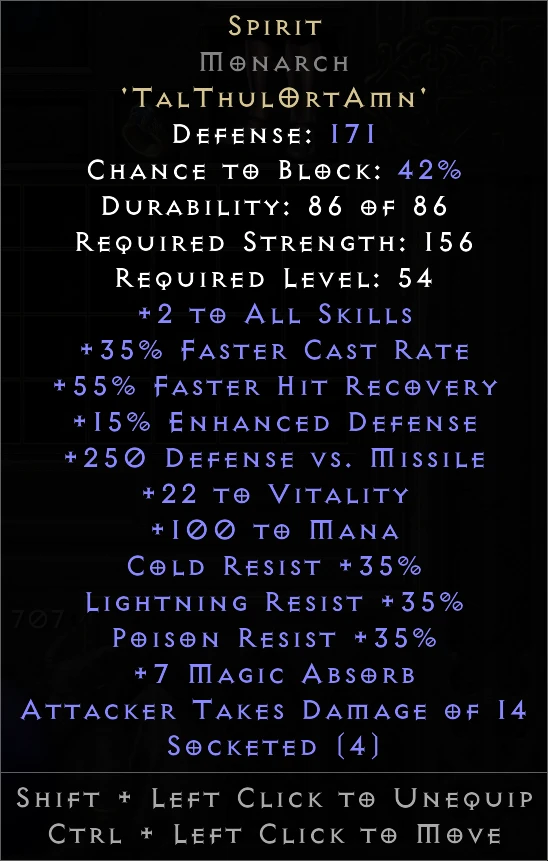
One screenshot in, this out. That's the real card, not a picture of one.
Screenshot, drop in, trade.
-
Screenshot
Hover an item, press PrtScn.
-
Drop it in
Drop screenshots anywhereclick to browse · or paste with Ctrl+VEnigmaArmor — Gothic PlateTal Rasha's Fine-Spun ClothArmor — Mesh BeltTrainer's Grand Charm of StrengthGrand CharmDrop it on your stash page. It becomes a searchable card.
-
Trade
forums.d2jsp.orgStashMuleenigmaEnigmaArmor — Gothic PlateCopyOn d2jsp, click the corner button, search, and copy into your post. It only appears on d2jsp.
From a screenshot to a trade post.
- Search, edit and copy are free
- Fix any line right on the card
- Works offline
- Backed up, with five snapshots kept